

We are proud to announce the release of LANSA BI 9.16.1.1, bringing GenAI-powered enhancements to your business intelligence workflow.
With this update, you can now connect LANSA BI with the latest AI Model of choice to further simplify insights generation and accelerate decision-making for all users in your organization. Whether you’re working with Anthropic Claude, Google Gemini, Azure OpenAI or other Open AI models, this release comes with robust governance controls to help you manage security, usage, performance, and costs.
What’s New
Read on to explore how LANSA BI 9.16.1.1 supports faster data exploration, analysis, and presentation. All updates translate into embedded experiences, which means that you can deliver instant insights to your Visual LANSA application users, and they can immediately use them to make smarter business decisions.
AI-Enabled NLQ
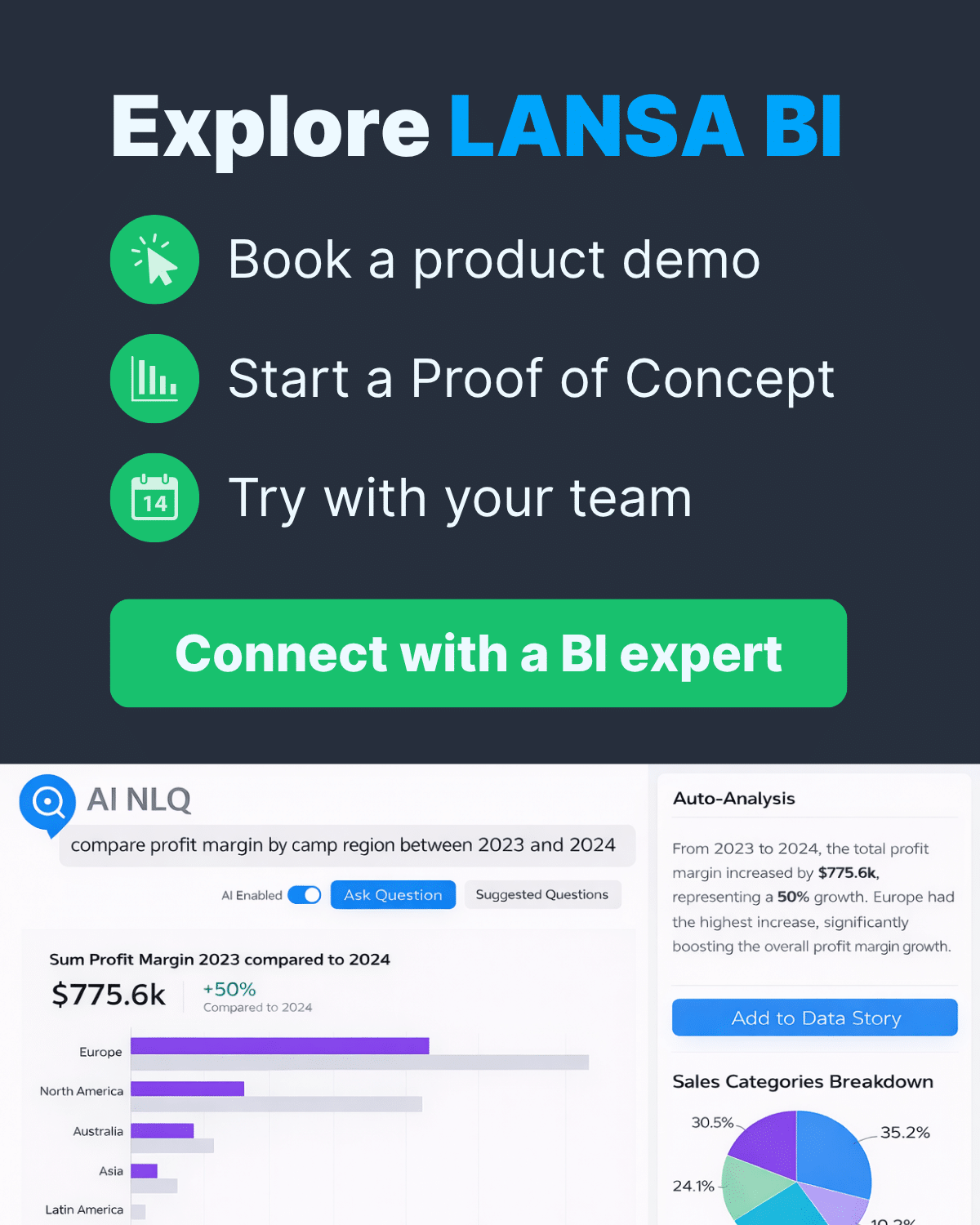
First off, LANSA BI 9.16.1.1 brings AI-enabled NLQ, making it easier than ever for non-coders to get accurate answers from their data. With this, users don’t even need to learn Guided NLQ syntax rules to ask the platform for specific information. Just ask questions as you would in a human conversation, and the AI will translate them into structured queries. Users also don’t need to master all data columns to request insights, making this especially useful for new and non-technical users.
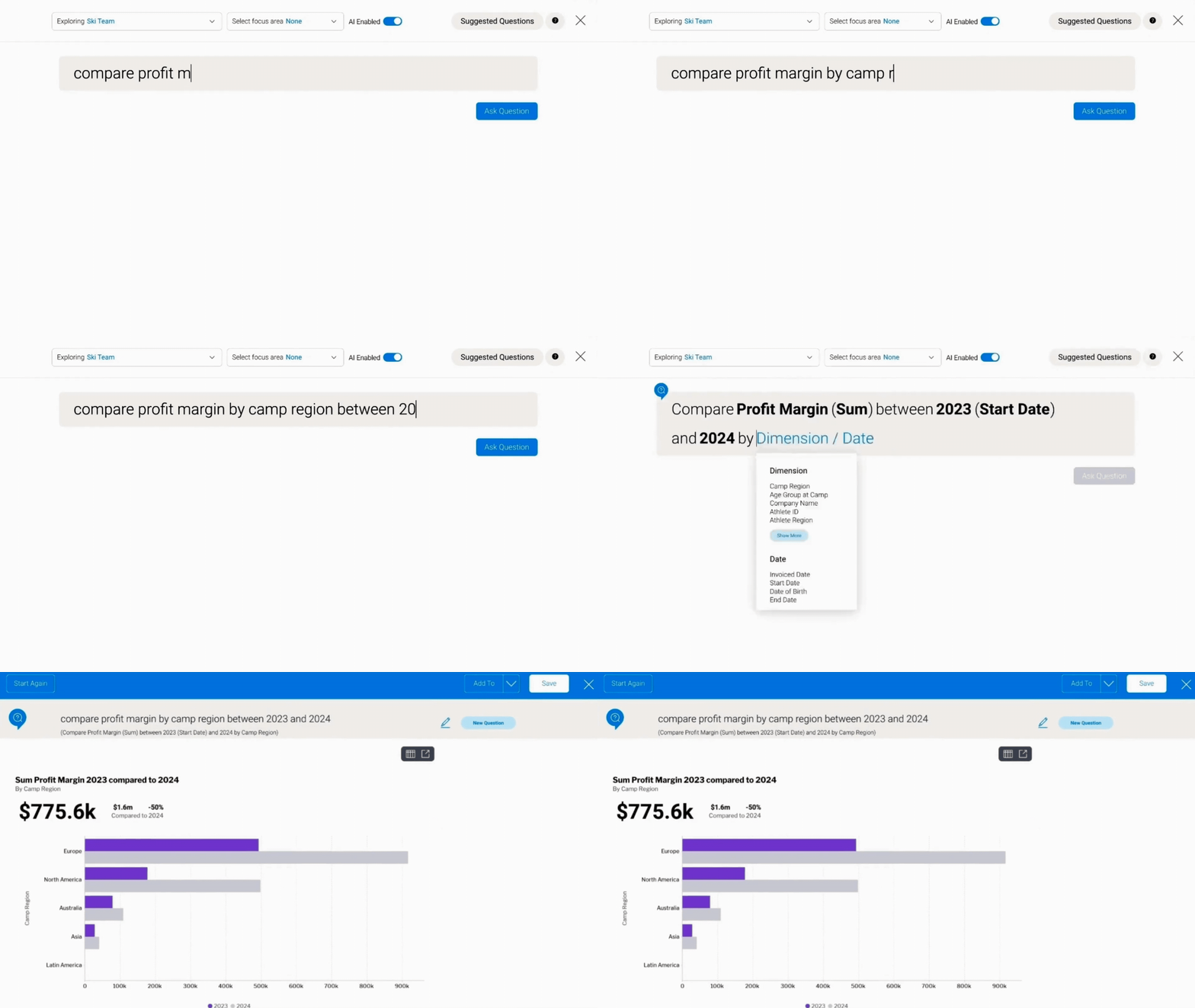
AI mode can be easily toggled on or off when querying data. With this update, users also get Suggested Questions to assist with data exploration. The AI automatically generates a list based on the metadata of the underlying dataset. Results can then be saved as reusable reports, added to dashboards, or inserted into data stories.

AI-Driven Insights with “Tell Me About My Data”
Next, LANSA BI 9.16.1.1 upgrades AI-assisted insights generation with Tell Me About My Data (TMAMD) which doesn’t just add GenAI narratives but also brings recommended charts to support deeper analysis. You can use this new capability when building reports, dashboards, and data stories — just look for this icon  to get started.
This update generates plain language explanations to help understand trends, anomalies, and key drivers. Depending on your configuration, it can also compare and analyze data against a broader set for richer insights.
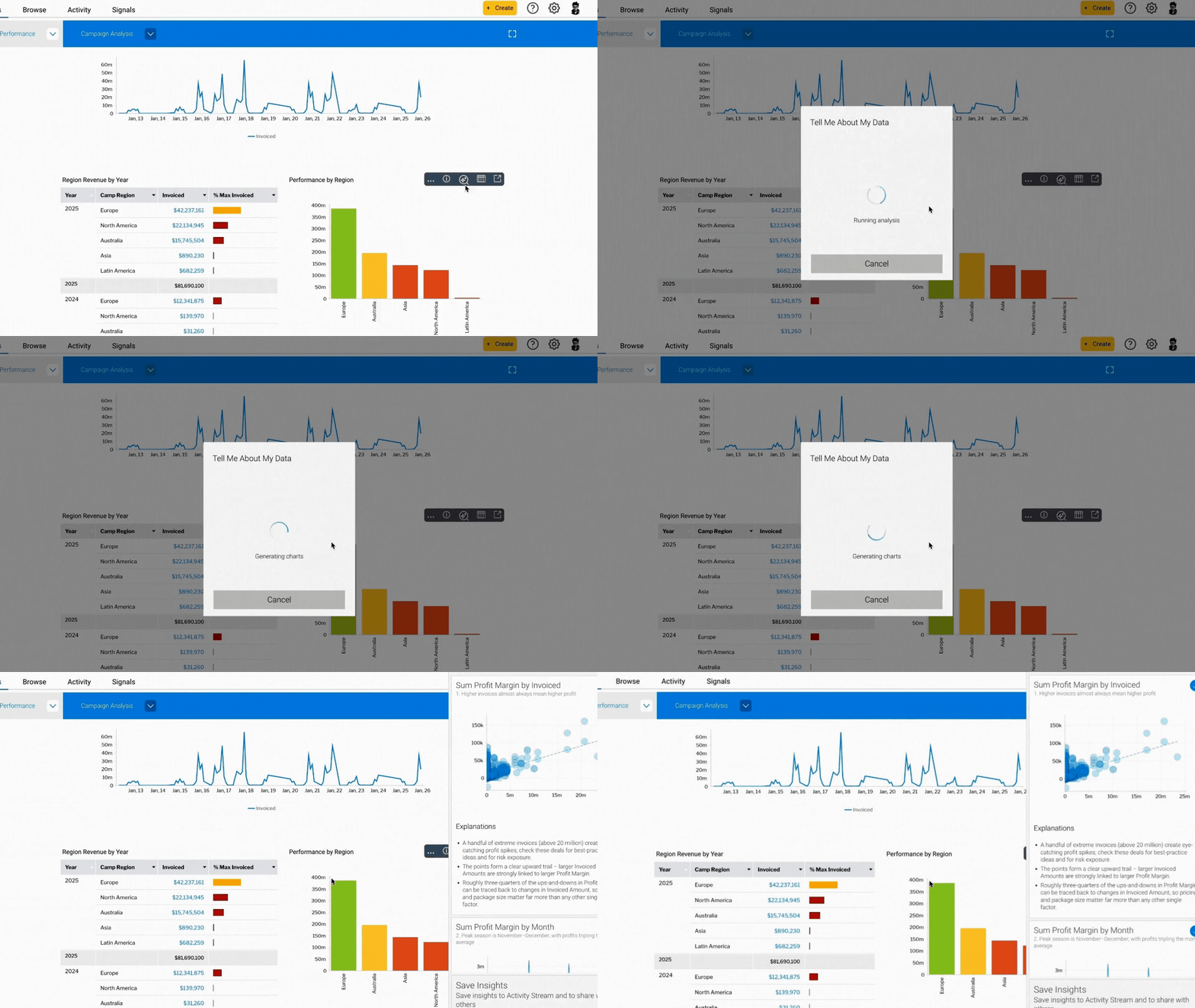
The AI-recommended visualizations will be rendered in LANSA BI as reusable and interactive charts. This significantly reduces the manual work required to create reports, variations, and presentations, allowing users to focus on analysis, collaboration, and decision-making.
With respect to governance, LANSA BI has built-in machine learning that analyzes the data before sending summaries to the external AI model. Detailed dataset records are not transmitted, and administrators can also enable or disable this feature with role-based settings.
AI Story Assistant
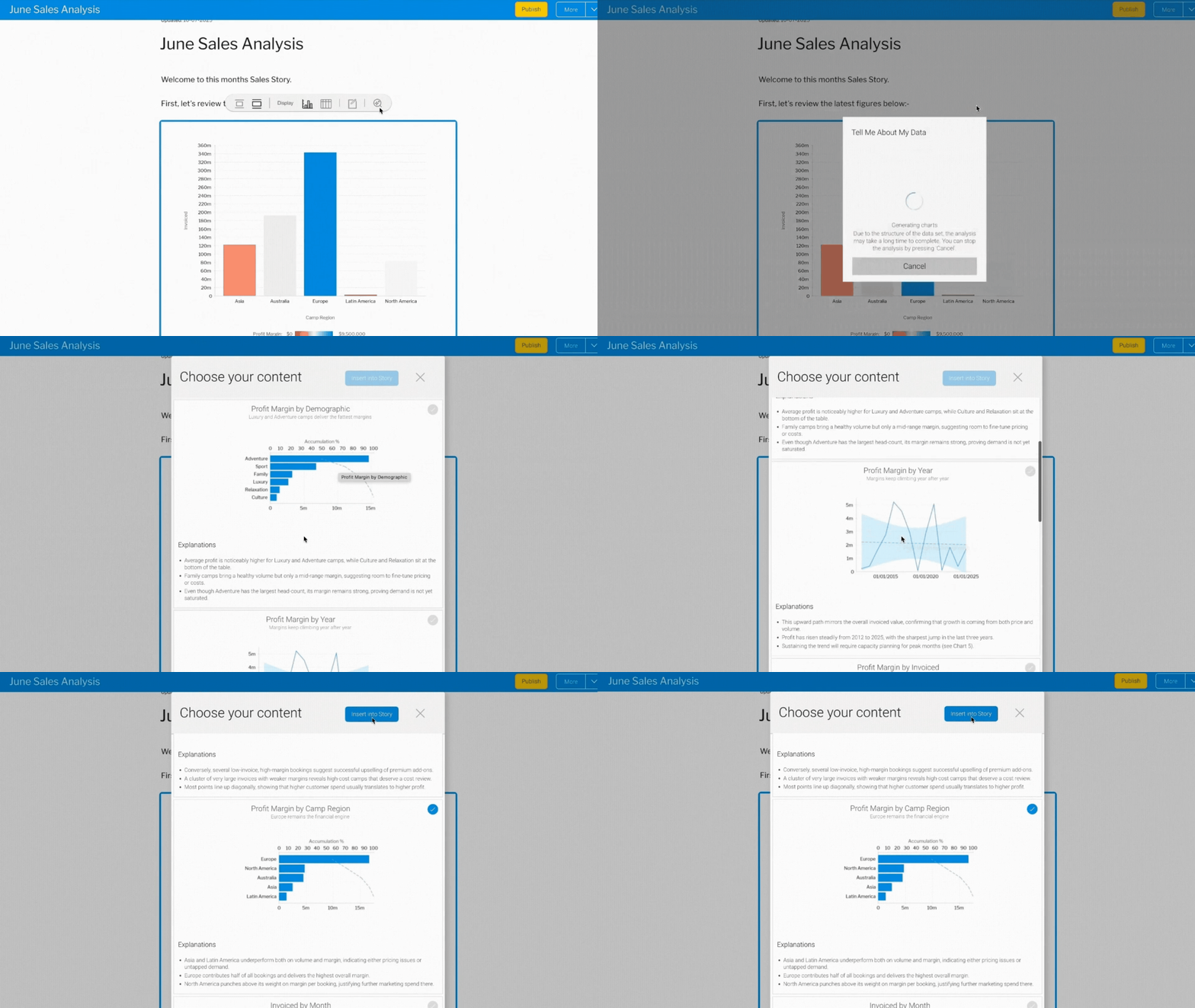
TMAMD is deeply integrated with LANSA BI’s built-in Data Storytelling Tool, enabling users to create multimedia narratives more quickly.
With the AI Story Assistant, users managing frequent updates can rely on the AI-generated visualizations and explanations to get their content started. They can then focus on distilling what matters most: actionable insights and value-driven recommendations.
Reminder: LANSA BI 9.16.1.1 is designed to enable faster discovery of insights without compromising control. When using the above AI-powered features, metadata such as column names, view descriptions, data types, and reference codes may be sent to the AI model together with the user’s question. Access can also be controlled by role, providing fine-grained governance over which users can use the feature.
AI Model Preference, Usage Tracking and Cost Governance
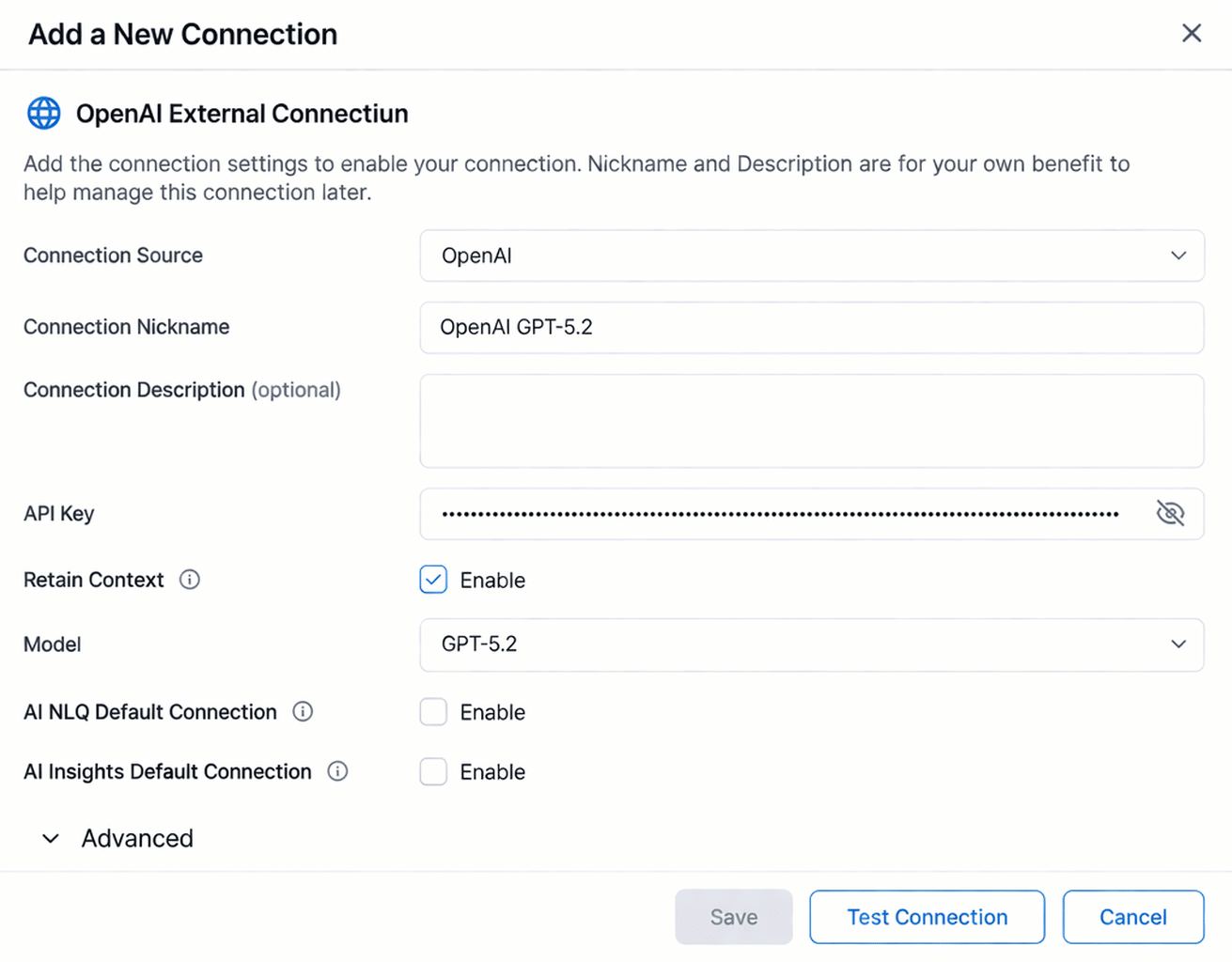
With the AI model integration, we are able to deliver a friendlier BI experience dedicated to accelerating insight discovery and decision-making. To support enterprise governance, LANSA BI 9.16.1.1 also comes with advanced auditing capabilities for AI usage.
Providing administrators with visibility to manage operational efficiency and compliance, they can:
- Easily connect to OpenAI, Claude, Gemini or Azure models (Bring Your Own Provider)
- Choose model versions to balance performance, speed, and cost
- Define AI connections at the Client Organisation (tenant) level
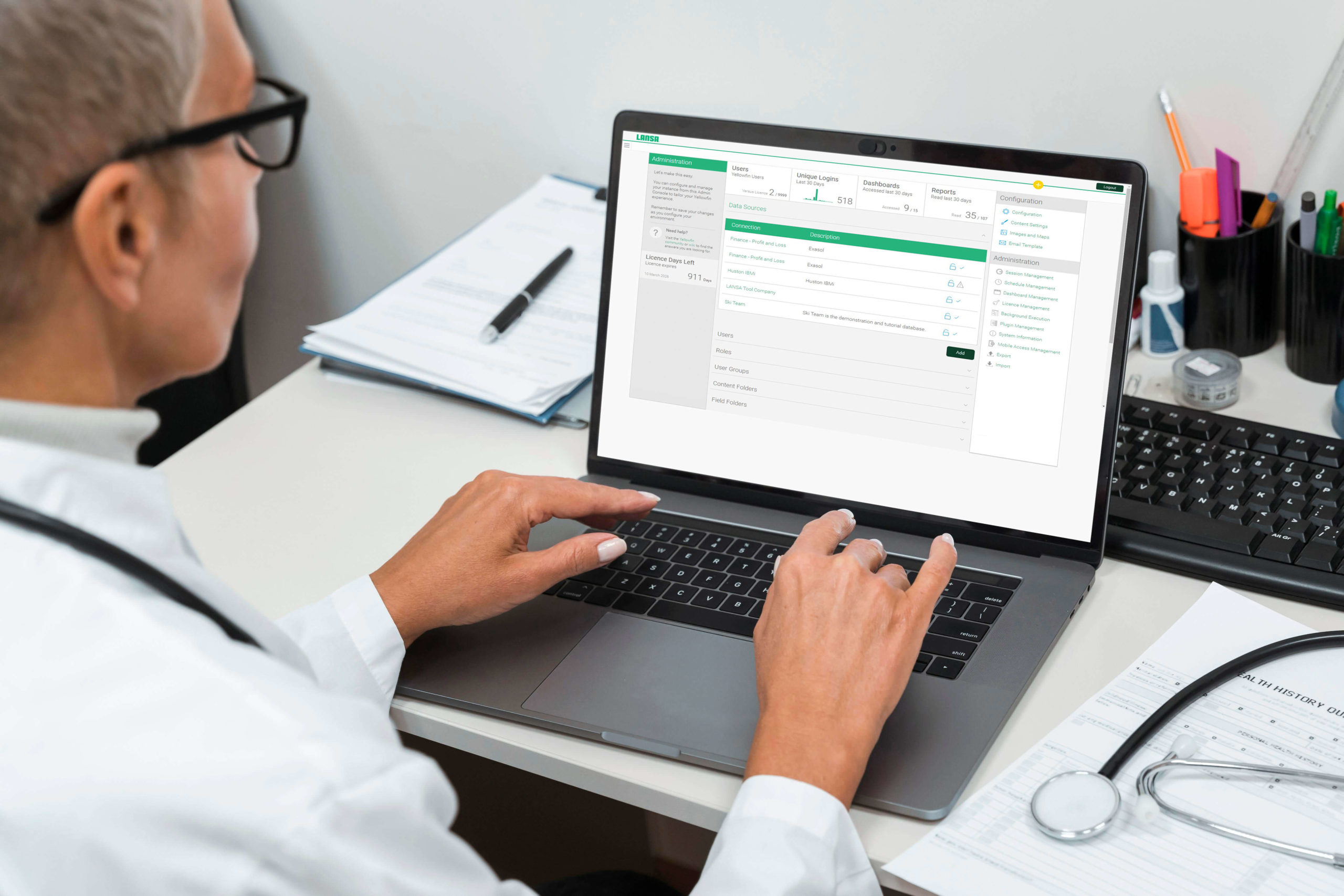
- Monitor accumulated token usage per connection
- View recent usage summaries in the Admin console
- Drill into individual AI requests
- Review exactly what was sent to and received from the model
- Analyze usage by tenant, model, feature type, or date
Additional Updates
Automated Tomcat Upgrades
The updater can now optionally upgrade the bundled Tomcat version automatically during system updates.
This reduces manual maintenance effort and helps ensure deployments stay aligned with current security standards. Silent installer support and safeguards protect custom configurations.
Expanded Data Connectivity
LANSA BI 9.16.1.1 expands reporting source support, including:
- Certified connectivity for ClickHouse
- Certified connectivity for StarRocks
- Snowflake support using public/private key authentication
These additions provide more flexibility across modern data ecosystems.
Reporting and Charting Enhancements
This release continues to improve performance and authoring flexibility.
Performance Improvements
- Ability to push sorting operations to the database using ORDER BY
- Better handling of row limits and large datasets
Enhanced Chart Configuration
- Configure colour for “Other” category segments
- Add additional tooltip fields to Ring and Pie charts
- Disable brush filtering where required
- Configure colour behaviour for Percentage Bar formatting
- Additional micro-configuration improvements
Authoring Improvements
- Use Reference Codes as parameter value lists
- Create new content folders directly when publishing reports
- Drill from reports to dashboards when embedded inside Stories
These improvements enhance control for report authors and embedded deployments.
Export and Integration Enhancements
Further enhancements include:
- Filter placeholders in custom export filenames
- Improved export behaviour for embedded content
- Extended JavaScript API with additional export configuration control
- Ability to purge historic Signals data to help manage repository size
These updates support embedded applications and operational efficiency.
Why Upgrade to LANSA BI 9.16.1.1
AI-powered insight generation within dashboards
Enable users to move beyond static reporting. With Tell Me About My Data, business users can instantly generate narrative explanations and recommended charts from any report or dashboard component. This accelerates insight discovery, reduces reliance on specialist analysts, and shortens the time from data to decision.
AI model flexibility and tenant-level control
Choose the AI model that best fits your organisation’s needs, balancing cost, performance, and response quality. Define AI connections per Client Organisation (tenant), supporting multi-tenant deployments and “bring your own model” strategies without compromising architectural control.
Full AI usage auditing and cost governance
Gain visibility into AI consumption with detailed token tracking and drill-down request auditing. Monitor usage by connection, tenant, model, and feature type. This supports cost optimisation, compliance requirements, and enterprise-level governance of AI workloads.
Reduced administration with automated upgrades
Optional automated Tomcat upgrades during system updates eliminate manual maintenance steps and reduce exposure to security risks. This simplifies lifecycle management and helps keep environments aligned with supported platform components.
Broader database connectivity
Expanded certified data source support, including modern analytics platforms, provides greater deployment flexibility and enables integration with evolving enterprise data strategies.
Continued seamless integration with Visual LANSA
LANSA BI 9.16.1.1 preserves the existing two-part architecture, including the ready-to-use Visual LANSA integration components. No redesign is required — simply upgrade and continue embedding dashboards, reports, and AI capabilities in your applications.
Enterprise-ready deployment on IBM i and Windows
Maintain full compatibility with IBM i and Windows environments, supporting hybrid and cross-platform deployments. LANSA BI continues to provide a stable, scalable analytics foundation aligned with enterprise infrastructure standards.
How to Install LANSA BI 9.16.1.1?
LANSA BI 9.16.1.1 is compatible with IBM i and Windows environments. It can be used as a stand-alone BI solution or an embedded analytics layer to Visual LANSA applications.
The packages comprises of two parts:
- LANSA BI software
- Visual LANSA file with sample API integration (simply input your LANSA BI credentials to start embedding dashboards and reports)
Existing users may download the latest LANSA BI version from the LANSA Support Portal and follow the included installation guide for your platform.
For detailed guidance on using LANSA BI, visit docs.lansa.com and select “LANSA BI” from the Integration section in the main menu.
Powered by Yellowfin 9.16.1.1 you may also refer to the complete release notes — including all bug fixes, new features, and enhancements here.
Not Yet a LANSA BI User?
LANSA BI is an AI-powered business intelligence solution primarily designed to support digital transformation projects on IBM i and Windows. Whether you’re starting from scratch or replacing legacy reporting tools, LANSA BI’s intuitive platform and comprehensive features can help you deliver actionable analytics directly to decision-makers.
Watch this webinar for an overview: Delivering Enterprise Analytics Your End-Users Will Love with LANSA BI
Consult with our experts to discuss your business intelligence requirements for free. We would be happy to provide a product tour based on your needs and start a proof of concept (POC) to visualize a sample dataset for your evaluation.
A LANSA BI sandbox is available for you and your team to experience AI-powered self-service analytics firsthand before taking the leap. Contact us now to get started.